
A tool built for captions
vs a tool that
also does captions
Kapwing is a solid general video editor. But its auto-subtitle feature is one option inside a large suite, not the core product. If captions are what you actually need, a tool built for nothing else beats it on every metric that matters.
No credit card required · Free plan · 300,000+ creators
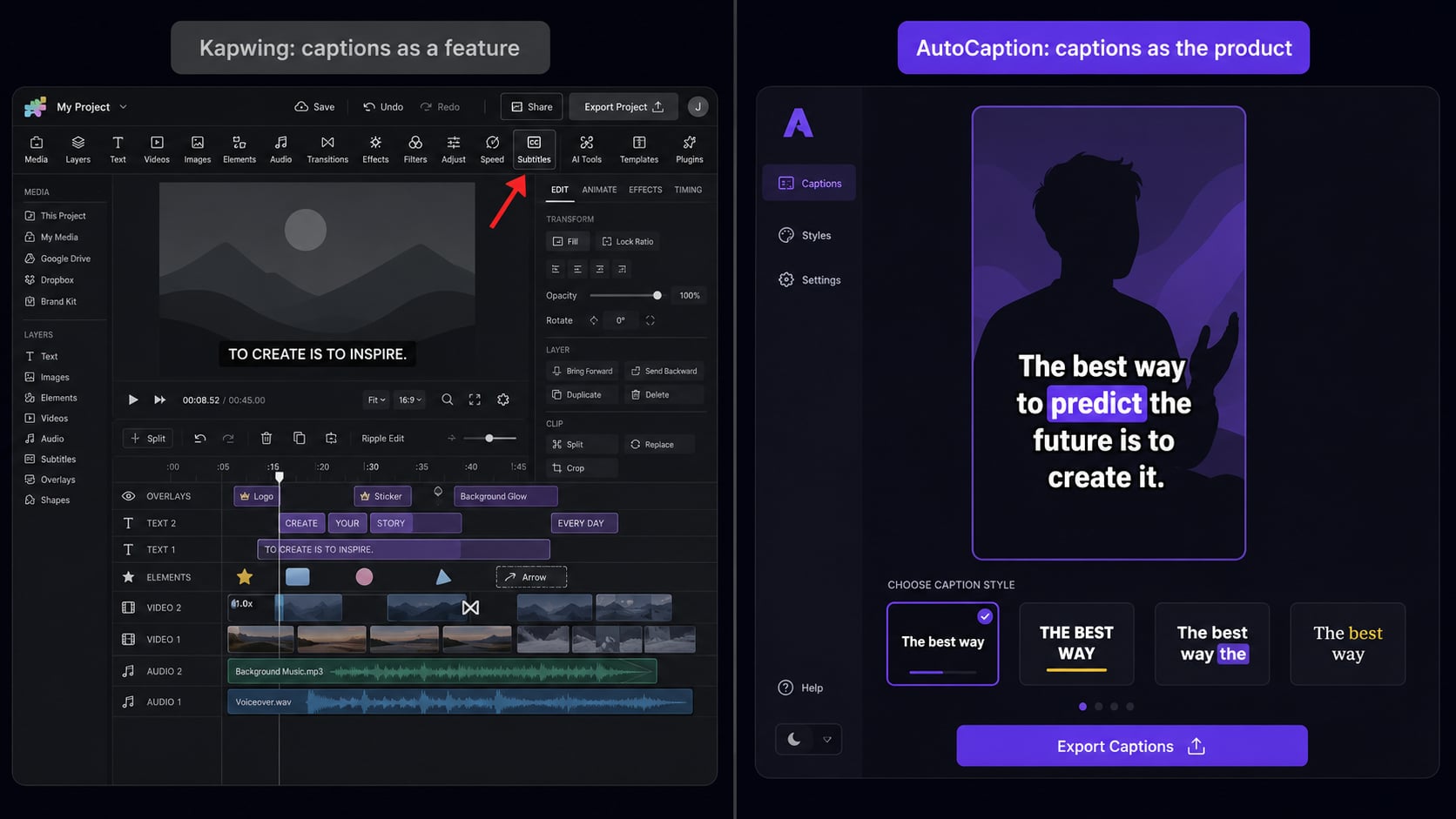
The core difference
One tool does captions.
One tool also does captions.
Kapwing is genuinely good at what it does. But its auto-subtitle feature is a checkbox in a much larger product. AutoCaption was built because that checkbox was not good enough.
Kapwing's approach to captions
AutoCaption's approach to captions
Feature by feature
How they actually compare
Which one fits your workflow
Depends on what you actually need
Most creators already have an editing workflow they like. They are not looking to replace Premiere, DaVinci, or CapCut. They need one thing: accurate, styled captions, done fast, burned into the export.
That is exactly what AutoCaption does. Upload, generate, style, export. The whole flow is under 2 minutes and the UI never gets in the way.
If you do not have a desktop video editor and you need to trim, resize, add overlays, collaborate with a team, and add captions, all inside one browser tool, Kapwing handles that well.
The auto-subtitle feature is decent. It is not the fastest and the animated caption styles are limited. But if captions are 10% of what you need from a video tool, Kapwing's broader editing scope is worth it.
This is the most common workflow. Kapwing (or CapCut, or Premiere) for the actual video edit. AutoCaption for the caption layer. Export from your editor, run it through AutoCaption, done.
It sounds like an extra step, but AutoCaption's turnaround is so fast it adds maybe 2 minutes to your total workflow. The caption quality difference is worth it.
Speed matters at volume
Caption time: AutoCaption vs Kapwing
Caption workflow in Kapwing
Caption workflow in AutoCaption
At 20 videos per month, that is 2-4 hours of saved time on captions alone.
FAQ
AutoCaption vs Kapwing: questions
Is AutoCaption better than Kapwing for captions?
For captions specifically, yes. AutoCaption is faster (under 10 seconds), has more animated caption styles, and the editor is built around reviewing caption text, not a full video timeline. Kapwing has captions, but it is a general editor with subtitles as one feature.
Can AutoCaption replace Kapwing?
For the caption part of your workflow, yes. For everything else Kapwing does (trimming, resizing, team collaboration), no. Most creators use AutoCaption on top of their existing editor rather than replacing it.
How fast does AutoCaption generate captions compared to Kapwing?
AutoCaption generates captions in under 10 seconds. Kapwing typically takes 30 seconds to a few minutes for the same video. AutoCaption also tends to have higher out-of-the-box accuracy because transcription is the core product.
Is Kapwing free?
Kapwing has a free tier with watermarks on exports. Paid plans start around $16-24/month. AutoCaption has a free plan with no watermark on trial exports, and paid plans starting at a lower price point.
Try before you decide
Captions in under 10 seconds.
Free to try.
Upload a video from your next project. See the difference between a general tool and one built for exactly this.
✦ Try AutoCaption freeNo credit card required. Trusted by 300,000+ creators.