
From video to
subtitled and ready
in 2 minutes
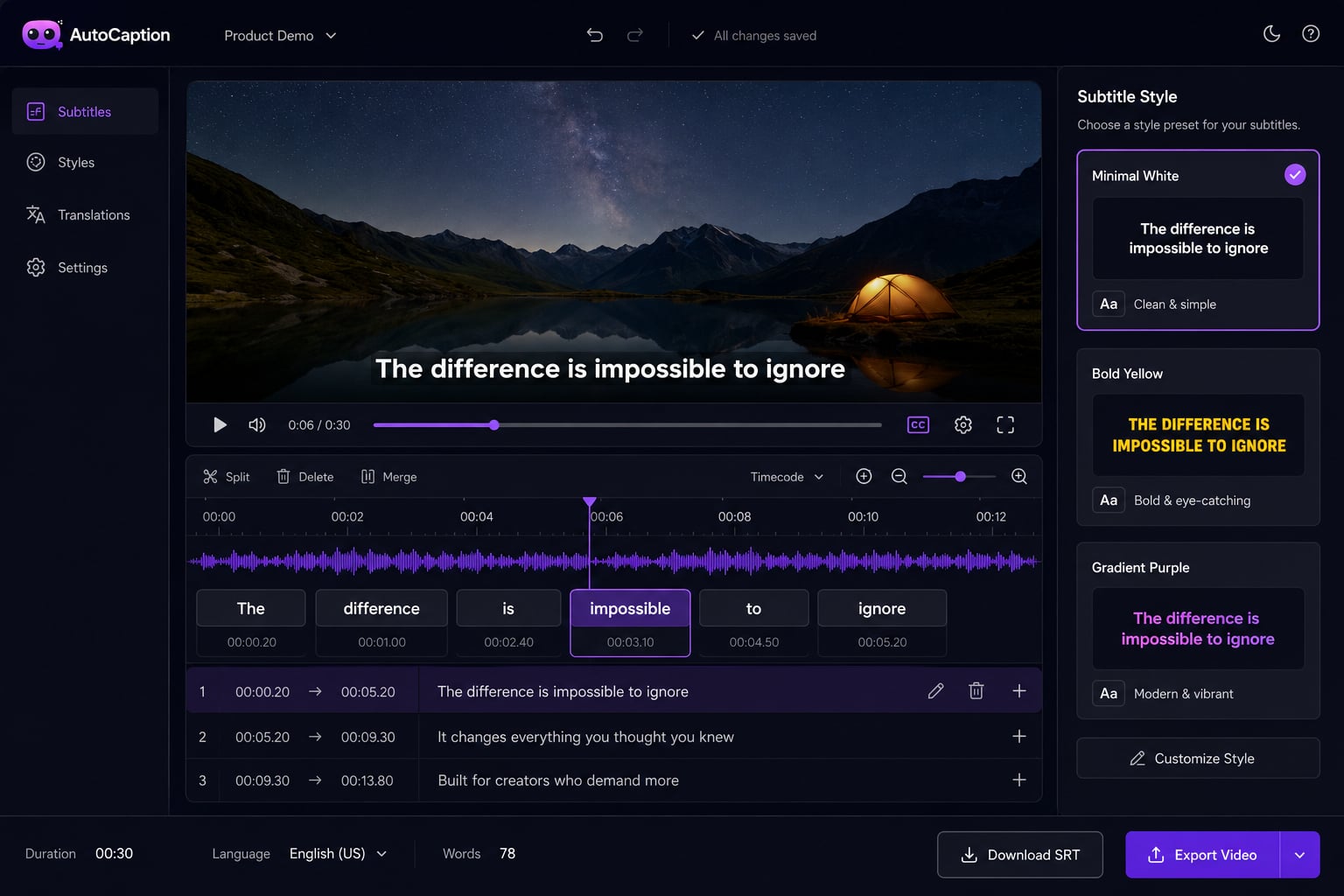
Upload your video. The AI reads the audio and generates perfectly timed subtitles. Pick a style, fix anything, export. No SRT files to manually import and sync. No timeline editor to fight with.
No credit card required · 100+ languages · MP4, MOV, AVI + more
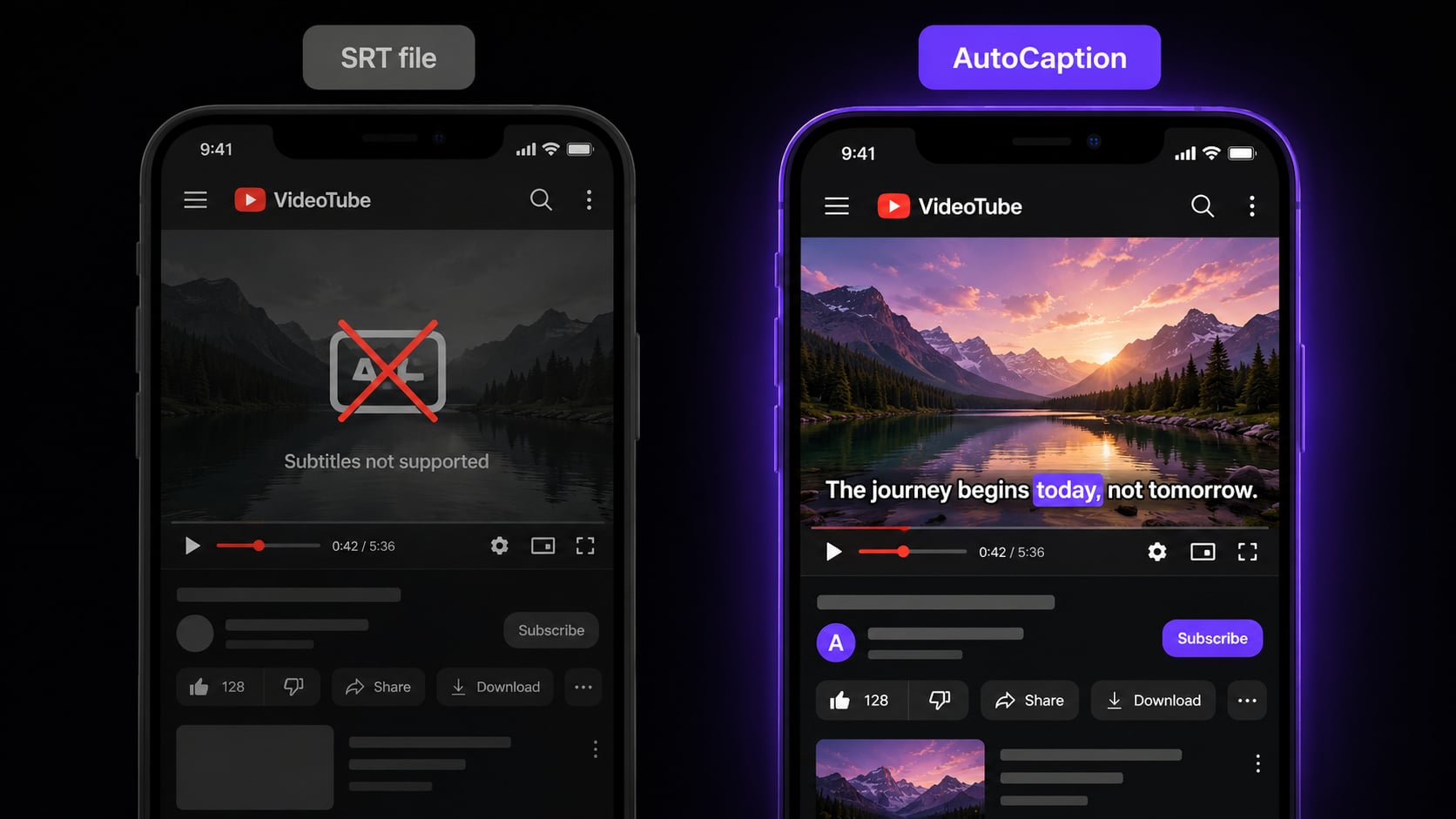
Open captions vs SRT files
Most tools give you a file.
AutoCaption gives you a finished video.
SRT files only work when the platform supports them. Burned-in subtitles show up everywhere: every platform, every player, every device. No extra upload steps.
SRT file approach
AutoCaption approach
Why subtitles matter
The data is hard to ignore
85%
of Facebook videos watched without sound
The mute majority misses your message without subtitles.
+12%
more views on subtitled videos on average
Subtitles make content more discoverable and shareable.
80%
more likely to finish a subtitled video
Viewers who can read along watch to the end.
1 in 5
people have some form of hearing loss
Subtitles are the accessibility layer your content is missing.
How it works
Add subtitles to any video in 3 steps
Upload your video
30 secMP4, MOV, AVI, MKV, or WebM. Up to 4K resolution. Phone recordings, screen captures, professionally edited footage: all work without conversion.
AI generates the subtitles
Under 10 secThe AI transcribes your audio and creates timed subtitle overlays automatically. Supports 100+ languages with auto-detection. Edit any word before exporting.
Customize style and export
InstantPick a subtitle style, adjust fonts and colors, and export as MP4. Subtitles are burned in and visible everywhere. SRT export also available.
More than a subtitle generator
AutoCaption handles the full subtitle workflow from transcription to styled, ready-to-post output.
Auto-transcribe in 100+ languages
English, Spanish, French, Portuguese, Arabic, Hindi, Japanese, and 93 more. The AI detects the language automatically. No settings to configure. Works out of the box for multilingual content.
Subtitle styles that match your brand
Choose from presets or build your own: font, color, size, position. Save as a template so every video stays on-brand.
Edit any word instantly
When the AI gets something wrong, click the word and fix it. Takes about 3 seconds. No timeline scrubbing.
Auto-resize for every platform
One upload generates versions for TikTok (9:16), YouTube (16:9), Instagram (1:1), and LinkedIn. Subtitles reposition automatically so nothing gets cut off.
TikTok
9:16
Reels
9:16
YouTube
16:9
1:1
SRT export included
Need a separate subtitle file for YouTube? Export SRT alongside the burned-in video.
Done in under 10 seconds
Most videos are fully subtitled in under 10 seconds. No queue, no waiting period.
FAQ
Subtitle generator questions
What is the best free subtitle generator?
AutoCaption generates subtitles automatically and burns them into the video with custom styles. Unlike tools that just output an SRT file, you get a finished video ready to post. Free plan available, no credit card needed.
What is the difference between subtitles and captions?
Subtitles translate or transcribe spoken dialogue. Captions also include non-speech audio like music or sound effects, and are designed for deaf or hard-of-hearing viewers. In practice, most people use the words interchangeably. AutoCaption handles both.
How do I add subtitles to a video online for free?
Upload to AutoCaption. The AI transcribes the audio and generates timed subtitle overlays. Customize the style if you want, then export as MP4. Takes under 2 minutes. Free plan with no credit card required.
Does AutoCaption generate SRT subtitle files?
AutoCaption primarily generates burned-in subtitles that are part of the video file. They show everywhere without requiring platform support. SRT export is also available if you need a separate file for YouTube.
Start for free
Add subtitles to your
video right now
Free plan. No credit card. Upload your video and have subtitles in under 2 minutes.
✦ Try AutoCaption freeTrusted by 300,000+ creators worldwide