
Add captions to video
in under 2 minutes,
completely free
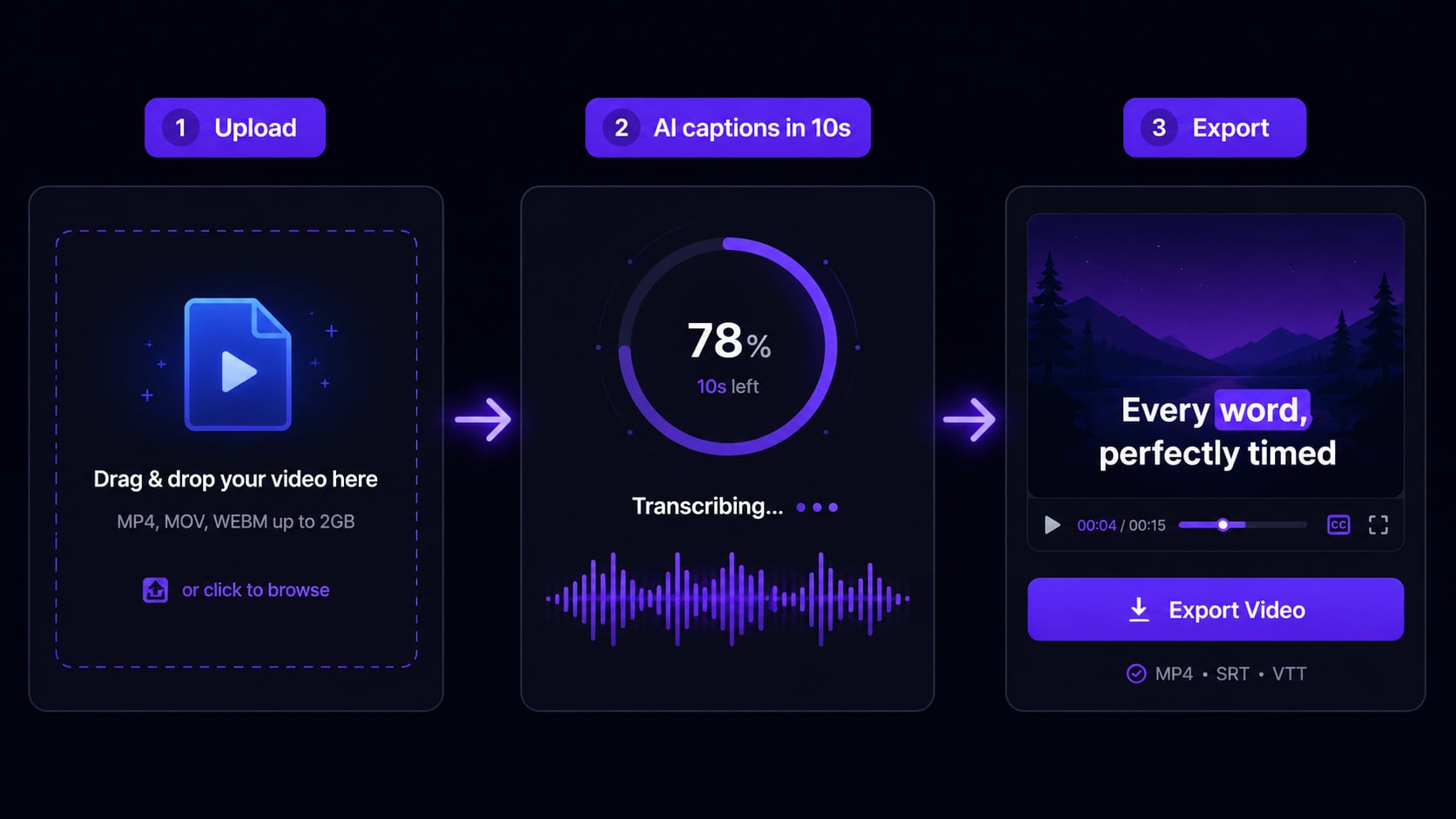
Adding captions manually takes 30 to 45 minutes per video. AutoCaption's AI does it in under 10 seconds. Upload, the AI reads the audio and generates styled captions, you adjust anything, export and post.
No credit card required · No software to install · 100+ languages
Why it matters
85% of your audience watches on mute
If you are not adding captions, you are losing most of your potential viewers before they hear a word. Captions keep people watching, increase completion rates, and reach the 1 in 5 people with some form of hearing difficulty. There is no easier win in video.
85%
of social videos watched on mute
Public scrolling, silent commutes. Most of your audience never hears you.
+40%
longer watch time with captions
Viewers who can read along stay in the video significantly longer.
80%
more likely to finish a captioned video
Completion rate directly signals the algorithm to push your content further.
Step by step
How to add captions to your video
Upload your video to AutoCaption
30 secDrag and drop your video file, or click to browse. Supports MP4, MOV, AVI, MKV, and WebM up to 4K. If your phone recorded it or your editing software exported it, it works.
Let the AI add captions automatically
Under 10 secAutoCaption reads the audio and generates word-by-word timed captions in seconds. Supports over 100 languages and detects the language automatically. You do not need to type a single word.
Review and edit in the caption editor
30 secThe AI gets it right most of the time. Click any caption to fix a word if needed. Takes 3 seconds. Adjust the timing, split or merge captions, reposition them on screen.
Pick a caption style
15 secChoose from word-by-word, sentence, or karaoke styles. Customize the font, color, size, and background. Or use a preset already optimized for TikTok, Reels, or YouTube.
Export and post
InstantDownload your captioned video as an MP4. The captions are burned in. They show on every platform, in every player, with no extra steps. Optionally export to multiple aspect ratios at once.
AutoCaption vs manual
The time difference is embarrassing
Manually adding captions
Adding captions with AutoCaption
Add captions once, post everywhere
AutoCaption exports in the right format for every platform. One upload, multiple outputs.
TikTok
9:16 vertical
Instagram Reels
9:16 vertical
YouTube Shorts
9:16 vertical
1:1 or 16:9
FAQ
Adding captions: common questions
How do I add captions to a video online for free?
Upload to AutoCaption. The AI transcribes and generates timed captions automatically. Customize the style if you want, export as MP4. Takes under 2 minutes. Free plan with no credit card required.
What is the easiest way to add captions to a video?
AutoCaption is the fastest approach. Upload the video, the AI handles transcription and timing, you pick a style and export. Under 2 minutes start to finish. The alternative is 40+ minutes of manual timeline work.
Can I add captions to a video without editing software?
Yes. AutoCaption is fully browser-based. No software to install. Works on Mac, Windows, and mobile browsers.
What video formats can I add captions to?
MP4, MOV, AVI, MKV, and WebM up to 4K. If your phone or editing software produced it, it works.
Do captions help video performance on social media?
Significantly. 85% of social videos are watched without sound. Captioned videos get longer watch times, higher completion rates, and reach viewers with hearing difficulties. It is one of the highest-ROI things you can do for any video.
Start for free
Stop spending 40 minutes
on captions
Upload your first video free. No credit card. No software. Captions in under 2 minutes.
✦ Add captions to my videoTrusted by 300,000+ creators worldwide